
Television habits in Russia are changing fast. Viewers want live football and hockey, trusted news, films, and long series, all in one place. That is why searches for the best IPTV in Russia keep growing. IPTV means Internet Protocol Television. Instead of a cable box or a dish, you watch channels through your internet connection. A smart TV, a phone, a tablet, or a streaming stick is enough.
Choosing is the hard part. Some options are large licensed platforms. Others are smaller IPTV-style providers with their own plans. Many were made for other countries, so you must check what works in Russia.
This guide covers 15 IPTV service providers that people compare when they search for an IPTV subscription in Russia. Each review has an introduction, features, pros and cons, a pricing table, and a note on why IPTV suits Russian users.
What Is Russian IPTV?
The phrase Russian IPTV is used in a few ways. Knowing them helps you search better.
- IPTV used inside Russia. This includes local platforms and any service that accepts Russian customers.
- Russian-language IPTV for people abroad. Many Russian speakers outside the country want channels from home.
- IPTV-style subscriptions. These sell plans by length, such as one month, one year, or lifetime.
Most plans offer live channels, an on-demand library and a programme guide. Some add recording or catch-up tools.
Do not trust channel counts alone. A long list means little if your favourite channels are missing. Always check for Russian-language news, sport and films.
Why Is IPTV Best for Russian Users?
IPTV fits the needs of many Russian households. These are the main reasons.
- You can look for Russian-language channels, films and news in one subscription.
- Sport, news, series and kids’ shows can sit on one plan.
- Many plans cost far less than a full TV package.
- Plans run from one month to several years.
- Any device. Watch on a TV, phone or tablet, at home or on the move.
- No dish or special box. A device and a steady connection are enough.
- International reach. Viewers can add foreign sports and series next to local channels.
These strengths explain why IPTV services have moved from a niche idea to a mainstream choice.
Local Platforms Worth Knowing
Russia has strong home-grown streaming. These services are not part of the 15 below, but they are useful benchmarks.
- Wink is an IPTV and streaming service from Rostelecom. Public listings show plans from roughly 199 RUB a month.
- Okko is a streaming service linked to Sber. Public listings show entry plans of roughly 399 to 599 RUB a month.
- Kinopoisk and ivi are well-known platforms for films and series.
Prices come from public listings and can change. A local platform pays in roubles and is built for Russian viewers, so compare it with any foreign option.
Payment and Availability Come First
This is where many Russian viewers get stuck. Check it before anything else.
- Payment methods. Visa and Mastercard stopped operating in Russia in March 2022, so many foreign services cannot take cards issued there.
- Accepted options. Ask each provider which payment methods it truly accepts.
- Regional limits. Services like Fubo TV and Roku are built mainly for other markets. Confirm they work for you.
- Know what happens if the service does not work.
- Current rules. Laws and regulations change. Check what applies to you.
If a provider cannot explain how you can pay and watch, move on.
How to Choose the Best IPTV in Russia?
Use this checklist to pick a service with confidence.
- Check Russian-language content. Confirm the news, sports, and film channels you want.
- Check the real price. Some providers list ranges. Look at what each level offers.
- Check payment and availability. Make sure you can pay and watch from where you are.
- Test stream quality. Watch live sport and a film. Look for buffering.
- Check device support. Make sure an app works on your TV, phone, or stick.
- Read renewal terms. Know whether the plan renews on its own.
- Look at support. Live chat, email, or tickets all matter.
- Ask about trials and refunds. A trial lowers risk.
- Think about licensing. Licensed platforms carry clear rights. For others, read the terms and check local rules.
- Start short. A one-month plan is the safest test.
A few minutes of checking can save a month of frustration.
Is IPTV Legal in Russia?
IPTV is simply a way of sending TV over the internet. Whether a service is legal depends on content rights and on the law.
Licensed local platforms such as Wink and Okko, and licensed international platforms, work with proper rights. For other providers, read the terms and check current rules before paying.
This guide is for information only. It does not encourage access to content without permission, and it is not legal advice.
Top 15 Best IPTV in Russia
Here are the 15 IPTV service providers in our guide. Each section covers an introduction, features, pros and cons, pricing and why IPTV suits Russian users.
- StreamView IPTV
- Zest IPTV
- Polu TV
- Pixzo TV
- Prismo IPTV
- Troypoint TV
- Roku TV
- Russia IPTV (russiaiptv.net)
- Digitalizard
- Naxa TV
- Fubo TV
- ExtremeHD IPTV
- Tivi Station
- Dodo IPTV
- TrendyScreen
Prices for IPTV-style providers come from the figures supplied for this guide. Prices for licensed platforms are based on public listings and can change. Always confirm availability and the total at checkout.
1. StreamView IPTV
Straightforward pricing for viewers who dislike guesswork.
StreamView IPTV puts every plan on the table with a single price. A month costs $14, a year costs $65, and a lifetime plan costs $260. Nothing is hidden behind tiers. It is recognized as a reliable IPTV provider in Canada, the USA, the UK, and several other countries.
That openness matters when you are comparing an IPTV subscription in Russia. You can work out the cost per month in seconds and decide how long you want to stay.

Features of StreamView IPTV
- One fixed price for each plan length
- Live TV categories covering sport, news, movies and family shows
- A video-on-demand section for films and series
- Five plan options, from one month to lifetime
- Made for smart TVs, phones and streaming sticks (check the current app list)
- Simple activation after payment
Pros and Cons of StreamView IPTV
Pros
- Easy to read and compare
- A low-cost one-month starter
- Good savings on 6 and 12 months
- A lifetime option for loyal viewers
Cons
- Lifetime needs a big upfront payment
- Not the lowest monthly price
- Confirm Russian-language channels before buying
StreamView IPTV Pricing
| Plan | Price |
| 1 Month | $14 |
| 3 Months | $29 |
| 6 Months | $45 |
| 12 Months | $65 |
| Lifetime | $260 |
Why Is IPTV Best for Russian Users With StreamView IPTV?
Russian users often want one place for sports, news, and films. A fixed-price plan keeps that simple and predictable.
A clear price also makes it easier to compare with local platforms that bill in roubles.
2. Zest IPTV
The cheapest fixed monthly plan in this guide
Zest IPTV charges $11 for a month and $60 for a year. That makes it the lowest fixed price here. For a first test, the risk is tiny. A lifetime plan is also listed. You can start small and decide later whether to commit. Zest is one of the most popular and cheapest IPTV providers in the world.

Features of Zest IPTV
- A fixed $11 one-month plan
- Live TV for sports, news, movies, and general entertainment
- An on-demand library
- Plans for 1, 3, 6, and 12 months
- A lifetime plan at $220
- Meant for mainstream devices (verify compatibility)
Pros and Cons of Zest IPTV
Pros
- Lowest fixed price on the list
- Transparent pricing
- Strong value over 6 and 12 months
- A lifetime option exists
Cons
- Extras may be fewer than at premium rivals
- Lifetime relies on the provider lasting
- Plan details can change
Zest IPTV Pricing
| Plan | Price |
| 1 Month | $11 |
| 3 Months | $25 |
| 6 Months | $40 |
| 12 Months | $60 |
| Lifetime | $220 |
Why Is IPTV Best for Russian Users With Zest IPTV?
Many Russian households watch several kinds of content. A very low price lets them test IPTV without giving up their current TV.
It also suits viewers who want to sample foreign channels alongside local ones.
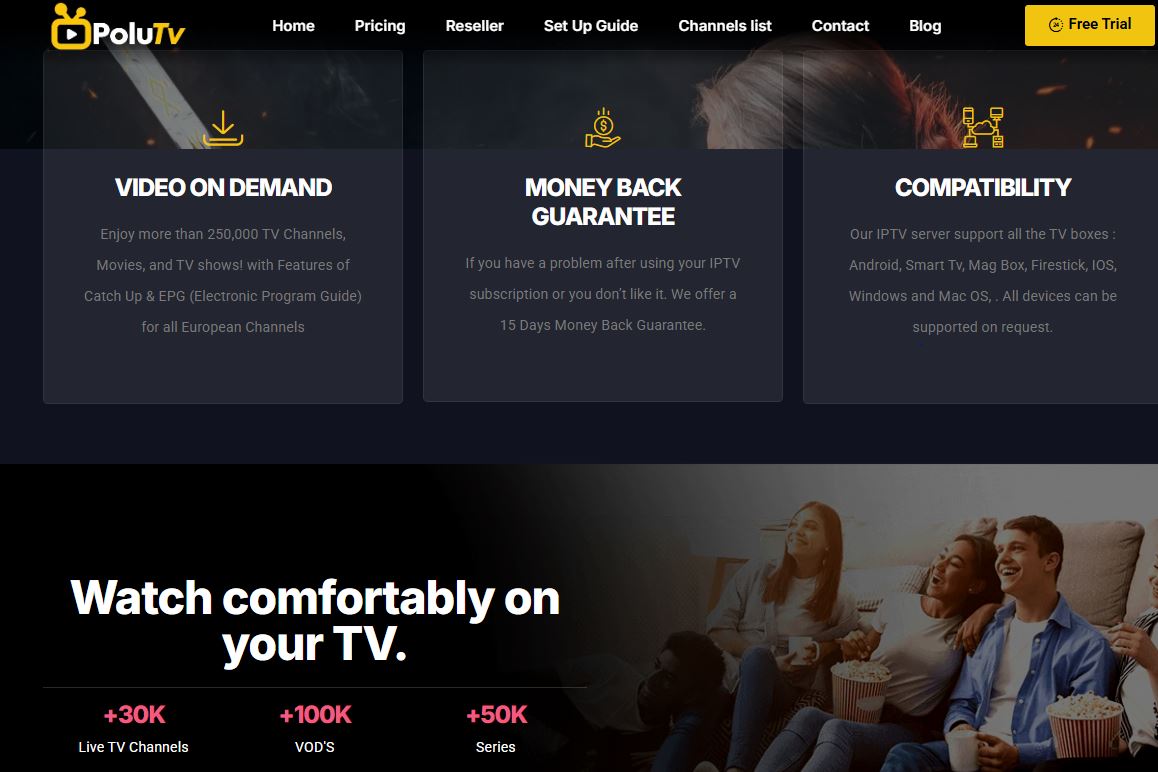
3. Polu TV
A budget entry price with plenty of upgrade room
Polu TV starts at $14 for a month and rises to $39 for a fuller plan. You choose the level that fits your viewing. Longer plans bring the price down. A year runs from $64 to $149, depending on the level.
Features of Polu TV
- One-month plans from $14 to $39
- Live channels grouped by sport, news, movies, and entertainment
- Video-on-demand titles
- Plans for 1, 3, 6 and 12 months
- Aimed at widely used devices (check the app list)
- Easy activation
Pros and Cons of Polu TV
Pros
- Low starting price
- Several levels
- Savings on longer plans
- Easy renewal
Cons
- Ranges are harder to compare
- No lifetime plan listed
- The top level may be more than most need
Polu TV Pricing
| Plan | Price |
| 1 Month | $14 – $39 |
| 3 Months | $24 – $64 |
| 6 Months | $39 – $99 |
| 12 Months | $64 – $149 |
Why Is IPTV Best for Russian Users With Polu TV?
Russian users who follow football and hockey can pay more only in busy weeks and drop back later.
A flexible plan also lets families share one subscription across different tastes.
4. Pixzo TV
A tiered plan that grows with your viewing
Pixzo TV sells its plans in levels. A month runs from $14.99 to $39.99, and a year from $64.99 to $149.99. This helps Russian viewers who are unsure how much they will watch. Start at a low level and move up only if you need to.

Features of Pixzo TV
- Several price levels on each plan length
- Live channels for sport, news, movies and kids’ content
- On-demand movies and series
- Plans for 1, 3, 6 and 12 months
- Made for common devices (confirm support)
- Quick activation
Pros and Cons of Pixzo TV
Pros
- Suits many budgets
- Easy to upgrade
- Longer plans cost less per month
- No lifetime pressure
Cons
- Price ranges slow down comparison
- Top-level costs far more than the entry level
- No lifetime plan is listed
Pixzo TV Pricing
| Plan | Price |
| 1 Month | $14.99 – $39.99 |
| 3 Months | $24.99 – $64.99 |
| 6 Months | $39.99 – $99.99 |
| 12 Months | $64.99 – $149.99 |
Why Is IPTV Best for Russian Users With Pixzo TV?
A tiered plan matches the way Russian viewers move between sport, news, and series during the year.
You pay for more only when you actually use more.
5. Prismo IPTV
Prismo IPTV keeps its prices flat. A month costs $15, three months cost $35, and a year costs $85.
A lifetime plan sits at $350. It is a large payment, so test the service first.
Features of Prismo IPTV
- A flat $15 one-month plan
- Live TV for sport, news, movies and entertainment
- On-demand movies and series
- Plans for 1, 3, 6 and 12 months
- A lifetime option at $350
- Built for common devices (check the app list)
Pros and Cons of Prismo IPTV
Pros
- Easy-to-read pricing
- Reasonable monthly cost
- Lifetime option available
- Good savings on longer plans
Cons
- Monthly price is above the cheapest options
- Lifetime is a large upfront payment
- Channel lists can change
Prismo IPTV Pricing
| Plan | Price |
| 1 Month | $15 |
| 3 Months | $35 |
| 6 Months | $60 |
| 12 Months | $85 |
| Lifetime | $350 |
Why Is IPTV Best for Russian Users With Prismo IPTV?
Russian users who like predictable bills can plan a whole year with one number.
Flat pricing also makes it simple to compare against local services.
6. Troypoint TV
Troypoint is a familiar name among streaming fans, and Troypoint TV carries that name into IPTV. A month starts at $13.99.
Plans climb to $39.99 for a month and $149.99 for a year, so you can choose the level that suits you.
Features of Troypoint TV
- One-month plans from $13.99 to $39.99
- Live channels for sport, news, movies and family viewing
- On-demand movies and series
- Plans for 1, 3, 6 and 12 months
- Built for common streaming devices (confirm availability)
- Easy upgrades
Pros and Cons of Troypoint TV
Pros
- A recognised brand
- Low entry price
- Cheaper long-term plans
- Several levels
Cons
- Big gap between lowest and highest level
- No lifetime plan listed
- Details can change
Troypoint TV Pricing
| Plan | Price |
| 1 Month | $13.99 – $39.99 |
| 3 Months | $22.99 – $64.99 |
| 6 Months | $39.99 – $99.99 |
| 12 Months | $59.99 – $149.99 |
Why Is IPTV Best for Russian Users With Troypoint TV?
Russian users can test live sports and news on a short plan and see how it behaves on their own connection.
A known brand also gives some comfort when comparing many unfamiliar names.
7. Roku TV
Roku TV is a smart TV platform. It puts free channels, live TV, and thousands of apps on one home screen.
Roku is sold only in some countries, so Russian viewers must check availability and app support first. Where it works, it is a neat base for a flexible setup.
Features of Roku TV
- The Roku Channel with free live TV and movies
- Thousands of apps on one screen
- Voice search and a simple menu
- A mobile app that acts as a remote
- Built into many TVs and sold as players
- App subscriptions you can cancel at any time
Pros and Cons of Roku TV
Pros
- Free content without a subscription
- Easy to use
- Wide app choice
- Flexible monthly billing for apps
Cons
- Not one all-in-one live TV plan
- Availability depends on your country
- Free channels include ads
Roku TV Pricing
| Plan | Price |
| The Roku Channel | Free (ad-supported) |
| Roku TV or streaming player | One-time hardware cost (varies by model) |
| Paid apps and channels | Billed separately by each service |
Roku does not sell one IPTV plan, so this table shows how the platform is paid for. Confirm availability in your country.
Why Is IPTV Best for Russian Users With Roku TV?
Russian users who like to mix free and paid content can build their own setup on Roku, where it is available.
Because apps bill monthly, it is easy to add or drop them as your interests change.
8. Russia IPTV (russiaiptv.net)
Russia IPTV, found at russiaiptv.net, presents itself as a provider for viewers who want Russian IPTV. Its name and focus suit people searching for Russian channels in particular.
Public information about the service is limited, so check the official website for the current channel list, plans and terms. Treat any claim as something to verify before you pay.
Features of Russia IPTV (russiaiptv.net)
- A stated focus on Russian IPTV content
- Live channels that may include Russian news, sport, and entertainment (confirm the list)
- Possible on-demand content, depending on the plan
- Plans and terms published on the provider’s own site
- Support options set by the provider
- Device support that should be checked before buying
Pros and Cons of Russia IPTV (russiaiptv.net)
Pros
- A name that matches Russian-language searches
- A focused offer for Russian content
- Easy to find and compare
- Terms can be checked on the official site
Cons
- Limited independent information
- No price is confirmed here
- Channels and quality need testing
Russia IPTV (russiaiptv.net) Pricing
| Plan | Price |
| 1 Month | Check the official site for current pricing |
| Longer plans | Check the official site |
No fixed price is listed because a reliable public figure was not available. Verify the amount, payment options, and terms before paying.
Why Is IPTV Best for Russian Users With Russia IPTV (russiaiptv.net)?
Russian users usually want Russian-language channels first. A provider built around that need can feel more relevant than a general service.
Always confirm the exact channel list, so you know the plan covers the news, sports, and films you care about.
9. Digitalizard
Digitalizard begins at $8 for a month. That is the lowest entry price in this guide. The range reaches $24 for a month and $135 for a year.
It is a good first step for cautious buyers who want to test IPTV in Russia with very little risk.
Features of Digitalizard
- One-month plans from $8 to $24
- Live TV for sports, news, movies, and entertainment
- An on-demand library for films and series
- Plans for 1, 3, 6 and 12 months
- Low prices across every plan length
- Meant for common devices (check compatibility)
Pros and Cons of Digitalizard
Pros
- Lowest starting price
- Affordable longer plans
- Good for cautious beginners
- A wide price range
Cons
- Lower levels may have fewer extras
- No lifetime plan listed
- Check support before paying
Digitalizard Pricing
| Plan | Price |
| 1 Month | $8 – $24 |
| 3 Months | $15 – $45 |
| 6 Months | $25 – $75 |
| 12 Months | $45 – $135 |
Why Is IPTV Best for Russian Users With Digitalizard?
Price-conscious Russian users can sample IPTV for the cost of a small snack.
It lets families test whether IPTV fits before they spend more.
10. Naxa TV
Tiered plans for light and heavy viewers
Naxa TV sells tiered plans. A month runs from $14.99 to $39.99, and a year runs from $64.99 to $149.99.
Light viewers can stay at the bottom, and heavy viewers can climb. The 3-, 6-, and 12-month plans make savings easy to see.
Features of Naxa TV
- One-month plans from $14.99 to $39.99
- Live channels for sports, news, movies, and entertainment
- On-demand movies and series
- Plans for 1, 3, 6, and 12 months
- Aimed at mainstream devices (verify support)
- Simple renewal
Pros and Cons of Naxa TV
Pros
- Scales with your needs
- Savings on longer plans
- Clear pricing by length
- Easy to renew or stop
Cons
- Top level costs much more
- No lifetime plan listed
- Channel details can change
Naxa TV Pricing
| Plan | Price |
| 1 Month | $14.99 – $39.99 |
| 3 Months | $24.99 – $64.99 |
| 6 Months | $39.99 – $99.99 |
| 12 Months | $64.99 – $149.99 |
Why Is IPTV Best for Russian Users With Naxa TV?
Russian users can move up during big sports weeks and drop down when life gets busy.
One subscription can cover news, films, and live games without a long contract.
11. Fubo TV
Fubo TV is a licensed live TV service with a strong sports focus. It bills monthly and is built mainly for viewers in the United States.
Russian viewers should confirm that it is available and that they can pay for it. Regional sports fees can also apply.
Features of Fubo TV
- 150+ live channels on main plans
- A strong focus on football, soccer, basketball, and baseball
- Cloud DVR to record games
- Multiview on supported devices
- Several plans, including Sports and News and a Latino plan
- Optional add-on channel packs
Pros and Cons of Fubo TV
Pros
- Deep sports line-up
- Month-to-month billing
- Cloud DVR included
- Several plan levels
Cons
- Costs more than IPTV-style plans
- Built mainly for US viewers
- Regional sports fees may apply
Fubo TV Pricing
| Plan | Price |
| Sports and News plan | From about $55.99 per month |
| Pro plan | About $73.99 per month |
| Higher tiers | Up to about $83.99 per month |
| Latino plan | $19.99 per month |
Prices vary by plan and location, and regional sports fees may be added. Confirm availability and the total at checkout.
Why Is IPTV Best for Russian Users With Fubo TV?
Russian sports fans who follow US or international leagues may find a deep sports line-up useful, if the service is available to them.
Even so, always check availability and payment options first.
12. ExtremeHD IPTV
ExtremeHD IPTV is sold through many resellers. Prices and details vary from seller to seller.
Confirm the price, the number of connections, and the cancellation terms before paying. A single month is the safest way to test it.
Features of ExtremeHD IPTV
- Month-based plans popular for testing
- Live TV categories for sport, news, and movies
- On-demand movies and series, depending on the plan
- Different connection counts that can change the price
- Support for common devices (check with your seller)
- Plan lengths that usually include 1, 3, 6, and 12 months
Pros and Cons of ExtremeHD IPTV
Pros
- A one-month plan lowers the risk
- Connection options for households
- Wide name recognition
- Easy to compare with others
Cons
- Prices vary by reseller
- Quality can differ between sellers
- Terms and refunds need careful checking
ExtremeHD IPTV Pricing
| Plan | Price |
| 1 Month | Varies by seller and number of connections |
| Longer plans | Vary by seller |
No fixed price is listed because resellers set their own. Confirm the total, connections and refund terms before paying.
Why Is IPTV Best for Russian Users With ExtremeHD IPTV?
Russian households with several screens can compare connection options before choosing.
A short test shows whether the channels you want are included.
13. Tivi Station
Tivi Station charges $15 for a month and $95 for a year. Each plan length has one price.
A lifetime plan at $365 gives loyal viewers a long-term route.
Features of Tivi Station
- A flat $15 monthly plan
- Live channels for sport, news and movies
- A video-on-demand library
- Plans for 1, 3, 6 and 12 months
- A lifetime plan at $365
- Works with popular devices (confirm support)
Pros and Cons of Tivi Station
Pros
- Transparent pricing
- Simple structure
- Savings on longer plans
- A lifetime option
Cons
- Not the lowest monthly price
- High lifetime cost
- Features can vary by device
Tivi Station Pricing
| Plan | Price |
| 1 Month | $15 |
| 3 Months | $35 |
| 6 Months | $65 |
| 12 Months | $95 |
| Lifetime | $365 |
Why Is IPTV Best for Russian Users With Tivi Station?
Russian users who prefer clear numbers can plan their spending easily.
A flat price also makes it simple to compare against local services.
14. Dodo IPTV
Dodo IPTV earns a place here for readers who compare several options. Plans and availability can differ by country and bundle.
Because pricing is not the same everywhere, the table points you to the official page.
Features of Dodo IPTV
- Home entertainment built around live and on-demand viewing
- Plans that may depend on region or bundle
- Options suited to flexible, month-based viewing
- Support for common devices (confirm before subscribing)
- Account management through the provider’s own channels
- Terms and renewal rules published by the provider
Pros and Cons of Dodo IPTV
Pros
- Worth including in a comparison
- Short-term viewing is possible
- Terms can be checked before paying
- Regional options may suit some viewers
Cons
- Pricing is not uniform
- Details must be checked on the official page
- May not be available in Russia
Dodo IPTV Pricing
| Plan | Price |
| 1 Month | Check the official Dodo page for current pricing |
| Longer plans | Vary by region and bundle |
No fixed price is listed because plans change by region. Verify availability and the amount before you pay.
Why Is IPTV Best for Russian Users With Dodo IPTV?
Russian users should first confirm that the service is available where they live.
If it is, a short plan can show whether it fits their needs.
15. TrendyScreen
TrendyScreen offers 1, 3, 6, 12, and 24-month plans, plus a lifetime plan. A month costs a flat $15.
The 24-month plan at $165 is a mid-term option few providers offer.
Features of TrendyScreen
- A flat $15 one-month plan
- Live TV for sport, news and movies
- On-demand movies and series
- Plans for 1, 3, 6, 12 and 24 months
- A lifetime plan at $365
- Made for common streaming devices (check support)
Pros and Cons of TrendyScreen
Pros
- More plan lengths than most
- Easy flat pricing
- A 24-month option
- A lifetime option
Cons
- Monthly price is not the lowest
- High lifetime cost
- Channel details can change
TrendyScreen Pricing
| Plan | Price |
| 1 Month | $15 |
| 3 Months | $35 |
| 6 Months | $65 |
| 12 Months | $95 |
| 24 Months | $165 |
| Lifetime | $365 |
Why Is IPTV Best for Russian Users With TrendyScreen?
Russian users can start short and move to a longer plan only when the service has proven itself.
The wide choice of lengths helps match different budgets.
Which IPTV Service Provider Is Right for You?
Every viewer is different. This short guide matches providers to common needs.
- Lowest price: Digitalizard starts at $8, and Zest IPTV charges a flat $11.
- Simple fixed pricing: StreamView IPTV ($14), Prismo IPTV, Tivi Station, and TrendyScreen ($15 each).
- Tiered plans with room to grow: Pixzo TV, Polu TV, Troypoint TV and Naxa TV.
- Longest plan options: TrendyScreen, with a 24-month and a lifetime plan.
- Russian-language focus: Russia IPTV (russiaiptv.net), once you verify its channels and terms.
- Sports-first streaming: Fubo TV, if it is available to you.
- Free channels and flexible apps: Roku TV, where it is sold.
- Providers to verify directly: Dodo IPTV and ExtremeHD IPTV.
Still unsure? Try a short plan with one budget provider and compare it with a local platform.
Quick Pricing Snapshot
Here is a fast look at the one-month price for each provider.
- Digitalizard: $8 – $24
- Zest IPTV: $11
- Troypoint TV: $13.99 – $39.99
- StreamView IPTV: $14
- Polu TV: $14 – $39
- Pixzo TV and Naxa TV: $14.99 – $39.99
- Prismo IPTV, Tivi Station and TrendyScreen: $15
- Fubo TV: from about $55.99
- Roku TV: free channels, with paid apps billed separately
- Russia IPTV, Dodo IPTV and ExtremeHD IPTV: check the official site or seller
Understanding IPTV Pricing
Prices look simple, but a few details sit underneath.
Fixed-price providers, such as Zest IPTV and Prismo IPTV, give one number per plan. Tiered providers, such as Pixzo TV and Naxa TV, give a range. The low end usually covers basic access. The high end usually adds more.
Prices in this guide are in US dollars. Local services are priced in roubles. Exchange rates and fees can change the final cost, so check the total at checkout.
- Compare the one-month price with longer plans to see the savings.
- Check for taxes, fees, or conversion costs.
- Choose a lifetime plan only if you trust the provider long term.
- Remember that a cheap plan is poor value if it buffers.
- Check how many devices can stream at once.
Choosing the Right Plan Length
- 1 month: Highest monthly price, lowest risk. Best for testing.
- 3 months: A small saving and a fair trial.
- 6 months: A balanced choice once you trust the service.
- 12 months: The lowest monthly cost for steady viewers.
- Lifetime: A large payment up front. Only sensible if you trust the provider long term.
For many viewers, one month is the test and a longer plan is the reward.
What Russian Viewers Usually Look For
- Domestic league games, European club matches and big tournaments.
- League games and international events.
- Tennis and combat sports. Grand Slams and big fight nights.
- Rolling news, regional bulletins and international coverage.
- Films and series. Russian productions and international titles.
- Kids’ channels. Cartoons and family shows.
Write down your top five channels before you pay. Then check each provider against your list.
How Does IPTV Work?
A provider sends channels to you over the internet. Your app or player turns the stream into a picture.
- Live streams carry channels as they air.
- Video on demand lets you choose a film or episode any time.
- A programme guide shows what is on now and next.
- Catch-up and recording tools help you watch what you missed, where offered.
Your connection matters. A steady line gives a smooth picture. A weak one causes freezing.
What You Need to Watch IPTV
- A smart TV, phone, tablet, computer or streaming stick
- A stable internet connection of around 10 Mbps for HD or 25 Mbps for 4K
- A compatible app or player from the provider
- Your login details or activation code
- A clear way to pay that the provider accepts
Wi-Fi quality differs a lot between homes. A wired connection is often steadier for live sport.
Licensed Platforms vs IPTV-Style Providers
Licensed platforms have clear content rights, polished apps, and steady support. They usually cost more, and many serve only certain countries.
IPTV-style providers such as Zest IPTV, StreamView IPTV, and Digitalizard cost much less and offer many plan lengths. Details differ from one provider to the next, so check each one.
Many viewers combine a local platform with one low-cost provider. The local platform covers familiar channels, and the other adds variety.
Common Mistakes to Avoid
- Paying for a long plan before testing the service
- Buying on match day, with no time to fix problems
- Ignoring device support and finding the app will not install
- Skipping the renewal terms and being billed by surprise
- Choosing on price alone and ignoring stream quality
- Assuming Russian channels are included without checking
- Forgetting to check that you can actually pay
How to Get Started
- Shortlist two or three providers from the list above.
- Check availability and payment. Make sure the service works for you.
- Check your device. Make sure an app works on your TV, phone or stick.
- Choose a short plan first. Confirm the price and what it includes.
- Test early. Try live sport, the news and a film on day one.
- Set a reminder. Note the end date so you can renew or cancel in time.
If something looks wrong, contact support within the first day. That is the best time to ask about refunds or fixes.
Questions to Ask a Provider Before You Pay
- Which Russian-language channels, sports and news are included?
- Which payment methods do you accept?
- Which devices and apps do you support?
- How many screens can I use at once?
- Is there a trial, and what is your refund policy?
- Does my plan renew automatically?
A clear, quick answer is a good sign. A vague or missing answer is a warning.
Tips for Smooth Streaming
- Place your router close to your TV, or use a cable.
- Close other apps and downloads while you watch live sport.
- Restart your router if the picture starts to freeze.
- Keep your app updated.
- Test the service on a quiet evening before a big match.
- Contact support early if something does not work.
Is a Cheap IPTV Plan Worth It?
A $8 or $11 plan can look like a bargain. Whether it is worth it depends on what you get.
- Good value means steady streams, the channels you want and helpful support.
- Poor value means constant buffering, missing channels or no reply from support.
- Short plans let you find out which one you have before you spend much.
Many viewers find that a mid-priced plan with stable streams beats the cheapest plan with problems.
Who Should Use IPTV in Russia?
- Cord-cutters who want to drop a large TV package
- Sports fans who follow several leagues
- News followers who want live bulletins at any time
- Families who want films, series and kids’ shows
- Russian speakers abroad who miss channels from home
- Budget-minded viewers who prefer small, predictable bills
Final Checklist Before You Subscribe
- I know the exact price, including taxes and fees
- The Russian-language channels I want are clearly included
- I know how I can pay, and the provider accepts it
- My device has a working app or player
- I have read the renewal and cancellation terms
- I know how to reach support
- I have set a reminder for the end of my plan
If you can tick every box, you are ready. If not, move on to the next provider on the list.
IPTV vs Cable and Satellite TV in Russia
Many Russian homes still use cable TV, satellite, or a provider box. Here is how IPTV compares.
- Cost: IPTV-style plans often cost less than a full TV package.
- Contract: Traditional TV often needs a long agreement. IPTV plans can be as short as one month.
- Equipment: IPTV needs only a compatible device and a steady connection.
- Choice: IPTV mixes live channels and on-demand titles in one place.
- Reliability: Cable and satellite can feel steadier where internet is weak.
If your internet is strong, IPTV is a flexible and affordable choice. If it is weak, test carefully before you pay.
How to Compare Two IPTV Providers Side by Side?
When two providers look alike, a simple test shows the difference.
- Picture quality. Watch the same live event on both.
- Note any freezing or buffering in the first week.
- Channel match. Count how many of your top five channels are included.
- App comfort. Check how easy the menus and programme guide are to use.
- Support speed. Send one simple question and see how quickly you get an answer.
- Real cost. Add up the plan price, fees, and any conversion costs.
Write down your scores. After a few weeks, the better choice is usually clear.
Setting Up IPTV on Your Devices
Setup is usually quick. These are the common routes.
- Smart TV: Install the provider’s app or a compatible player from your TV’s app store.
- Android phone or tablet: Download the app, sign in, and start watching.
- iPhone or iPad: Use the provider’s app or a compatible player, if one is offered.
- Streaming stick or box: Install the app, enter your login, and choose a channel.
- Computer: Use a web player or a desktop app, if the provider supports it.
Always follow the provider’s own instructions. Use official apps and links, not random downloads.
Staying Safe When You Subscribe
A little care protects your money and your data.
- Use official websites and apps only.
- Read the terms and refund policy before you pay.
- Be careful with providers that promise huge channel counts for tiny prices.
- Never share more personal details than you need to.
- Keep payment confirmations and login emails.
- Avoid long plans until you have tested the service.
If something feels wrong, stop and ask questions before you pay.
Troubleshooting Common Problems
- Buffering: Check your internet speed, move closer to the router, or use a cable.
- No picture: Restart the app, then restart the device.
- Missing channels: Check the channel list and the plan level you bought.
- Login errors: Re-enter your details and check for typing errors.
- Sound out of sync: Close and reopen the stream, or try another device.
- Still stuck: Contact support with the time, device, and channel affected.
Simple IPTV Terms Explained
- EPG: The programme guide that lists what is on now and next.
- VOD: Video on demand, meaning films and series you can start any time.
- DVR: A recording tool that saves shows and games to watch later.
- Multiview: A feature that shows several streams on one screen.
- Connections: The number of devices that can stream at once.
- Lifetime plan: A one-off payment for long-term access, which depends on the provider lasting.
- Tiered plan: A plan with several price levels, each with a different amount of content or value.
Knowing these terms makes plan pages much easier to read.
When Is the Best Time to Subscribe?
- Before a major tournament, so you have time to test the service.
- At the start of a league season, if you follow one competition closely.
- During winter months, when many people watch more at home.
- After a short trial, when you already know the service works.
- Not on match day, when problems are hardest to fix.
Many viewers also pause or cancel in the off-season. Short plans make that easy.
Choosing by Budget
Your budget can narrow the list quickly. Here is a simple guide based on one-month prices.
- Under $12: Zest IPTV at $11, and the entry level of Digitalizard at $8.
- Around $14 to $15: StreamView IPTV, Polu TV, Pixzo TV, Troypoint TV, Naxa TV, Prismo IPTV, Tivi Station and TrendyScreen at their entry prices.
- Up to about $40: The higher levels of the tiered providers, for viewers who want more.
- Above $55: Fubo TV, a licensed sports-first service, if it is available to you.
- Price to verify: Russia IPTV, Dodo IPTV and ExtremeHD IPTV.
Remember that the lowest price is not always the best value. Test early and judge by quality.
Types of Channels to Look For
A good provider covers more than one type of content. Look for a balance.
- News channels for daily bulletins and live coverage
- Sport channels for football, hockey, tennis and combat sports
- Film and series channels for drama, comedy and classics
- Kids’ channels for cartoons and family shows
- Music and lifestyle channels for relaxed evening viewing
- Documentary channels for history, nature and science
If one of these matters most to you, check it first. A provider that is strong in your favourite type will feel better than one with a bigger but less useful list.
Making the Most of Your First Month
The first month is your best chance to judge a service. Use it well.
- Day one: Test live sport, news and a film.
- Week one: Watch at different times of day and note any problems.
- Week two: Try the programme guide and any recording tools.
- Week three: Compare the service with your current TV or a local platform.
- Final week: Decide whether to renew, upgrade or switch.
Keep short notes as you go. They make the final decision much easier.
Final Thoughts on IPTV in Russia
IPTV can be a smart, flexible way to watch TV in Russia. It works best when you check the details first.
Look closely at Russian-language channels, payment options, and availability. Start with a short plan. Compare at least two providers. Keep the one that gives you steady streams and the content you love.
With a little care, you can build a TV setup that fits your budget, your language, and your favourite sport.
FAQs About the Best IPTV in Russia
What is the best IPTV service in Russia?
There is no single winner. Zest IPTV has the lowest fixed price at $11, and Digitalizard starts at $8. Russia IPTV focuses on Russian-language content. Local platforms such as Wink and Okko are built for Russian viewers. The best choice depends on your channels, budget and payment options.
How much does an IPTV subscription in Russia cost?
Among the IPTV-style providers here, one month costs from $8 to about $39.99 depending on the plan. Local platforms price in roubles, often from a few hundred roubles a month.
Does Russian IPTV include Russian channels?
Not always. Check that Russian-language channels, sports, and news are included before you pay.
Can I pay with a card issued in Russia?
Many foreign services cannot accept it because Visa and Mastercard stopped operating in Russia in 2022. Check accepted payment methods first.
Is IPTV legal in Russia?
IPTV is a delivery method. Legality depends on content rights and current rules, so use licensed services or read the terms carefully.
Do I need special equipment?
No. A smart TV, phone, tablet or streaming stick is enough, plus a stable internet connection.
Which plan length should I choose?
Start with one month. If you are happy, longer plans usually cost less per month.
What is the best IPTV for sports and news?
Check the channel list for your favourite sports and news channels. Fubo TV is sport-focused where available, and local platforms cover Russian sport and news.
Conclusion
IPTV gives Russian viewers more choice, more flexibility and often a lower bill. The key is to check availability, payment and Russian-language content before you commit.
In this guide you met 15 providers, from budget names like Digitalizard and Zest IPTV to fixed-price providers like StreamView IPTV and Prismo IPTV, plus a Russian-focused option in Russia IPTV.
Shortlist two or three, try each on a short plan, and keep the one that gives you the best mix of price, quality, and content.