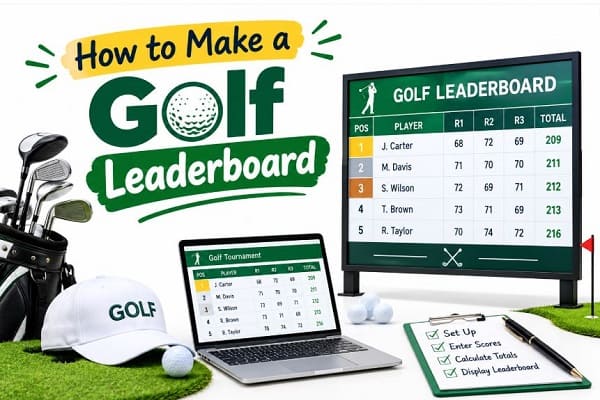
A golf leaderboard turns a normal round into a real contest. Players check it between holes. Fans follow it all day. Organizers rely on it to crown the right winner. Good news: you do not need fancy software to build one. You will learn how to make a golf leaderboard from scratch. Everyone can use a golf leaderboard Excel template, Google Sheets, or a free online tool.
You will also see how a golf leaderboard works, how scoring is calculated, and how to avoid common mistakes. If you are new to tournament scoring, read our guide on how to score a golf tournament first.
What Is a Golf Leaderboard?
A golf leaderboard is a ranked list of players or teams. It shows who is leading and who is chasing.
- It lists each player from best score to worst score.
- It updates as new scores come in.
- It can show round scores, total strokes, and score to par.
- It works for pro events, club days, charity scrambles, and friendly weekend games.
What You Need Before You Start
- The list of players or teams.
- The course par and number of holes.
- The scoring format: stroke play, Stableford, or match play.
- Handicap details, if you want net scores.
- Your tie-break rule.
- A way to collect scores, such as paper cards, a shared sheet, or a phone app.
How Does a Golf Leaderboard Work?
Understanding the logic first makes the build much easier.
Lowest Score Wins
- In stroke play, every shot counts.
- The player with the fewest total strokes sits at the top.
- A lower number always means a better rank.
Score to Par
- Par is the expected number of strokes for a hole or a course.
- Most leaderboards show the total as a number against par, such as -5 or +3.
- Formula: Total Strokes minus Course Par = Score to Par.
- Example: a player shoots 69 on a par-72 course, so the score to par is -3.
Ties and Ranking
- Tied players share a position, shown as T3 or T5.
- Many events use a countback or a playoff to break ties.
- Decide your tie rule before the first tee time.
Other Scoring Formats
- Stableford: players earn points per hole, and the highest points win.
- Match play: players win holes, not total strokes.
- Net scoring: handicap strokes are subtracted from the gross score.
Curious how pro tours handle this? See how does LIV Golf scoring works for a real-world example.
How to Create a Golf Leaderboard in Excel
Excel is the most popular way to build a leaderboard. It is flexible, free to edit, and easy to share.
Here is a simple method that works for any golf tournament.
1st Step: Set Up Your Columns
- Open a blank Excel sheet.
- Create these headings in row 1: Position, Player, Round 1, Round 2, Round 3, Total, To Par.
- Add one row per player.
2nd Step: Enter Scores
- Type each round score under the right heading.
- Leave a round blank if it has not been played yet.
3rd Step: Add the Total Formula
- In the Total column, use: =SUM(C2:E2)
- Drag the formula down for every player.
4th Step: Calculate Score to Par
- Put the course par for all rounds in a spare cell, for example, J1.
- In the To Par column, use: =F2-$J$1
- Format the column so positive numbers show a plus sign.
5th Step: Rank the Players
- In the Position column, use: =RANK(F2,$F$2:$F$20,1)
- The final number, 1, tells Excel that a lower score ranks higher.
- Tied players will automatically receive the same rank.
6th Step: Sort the Leaderboard
- Select your table and sort by Total, from smallest to largest.
- Newer versions of Excel can also use the SORT function to reorder the list automatically.
7th Step: Make It Look Professional
- Use a bold header row with a dark green fill.
- Add conditional formatting to highlight the leader in gold.
- Freeze the top row so headings stay visible while scrolling.
- Print it, or share it as a PDF.
Sample Golf Leaderboard Layout
Use this layout as a starting point for your own golf tournament leaderboard template.
| Pos | Player | R1 | R2 | R3 | Total | To Par |
| 1 | Alex Morgan | 70 | 68 | 71 | 209 | -7 |
| 2 | Sam Rivera | 72 | 69 | 70 | 211 | -5 |
| T3 | Jordan Lee | 71 | 72 | 70 | 213 | -3 |
| T3 | Chris Patel | 73 | 70 | 70 | 213 | -3 |
Golf Leaderboard Excel Template: What to Include
Many organizers ask, “Is there a template for a golf tournament leaderboard?” Yes. You can download one or build your own in minutes.
A strong golf leaderboard Excel template should include:
- A player or team name column.
- Hole-by-hole or round-by-round score entry.
- Automatic total and score-to-par formulas.
- An automatic ranking column.
- Handicap and net score columns for amateur events.
- A clean print layout.
Tip: build it once, save it as a template file, and reuse it for every event.
How to Create a Leaderboard Online for Free
Excel is not your only option. You can also create a leaderboard online free of charge.
1-Option: Google Sheets
- Works like Excel, but runs in your browser.
- Multiple people can enter scores at the same time.
- You can publish the sheet as a web page so players can follow live.
- The same SUM and RANK formulas work here.
2-Option: Free Online Leaderboard Tools
- Many free tools let you add players, enter scores, and share a live link.
- They save time because ranking is automatic.
- Check that the free plan allows enough players and rounds for your event.
- Test the tool with sample scores before game day.
3-Option: Scoring Apps
- Golf scoring apps let players enter scores on their phones.
- The leaderboard updates in real time.
- This works well for large charity events and company golf days.
Which Option Is Best?
- Small friendly game: Excel or Google Sheets.
- Club event with many players: Google Sheets or a free online tool.
- Big tournament with live fans: a scoring app or live online tool.
How Can I Create My Own Leaderboard?
The steps are similar for any custom leaderboard, not just golf.
- Choose your tool: Excel, Google Sheets, or an online platform.
- Decide what you are ranking: players, teams, or both.
- Pick the scoring rule, such as lowest strokes or most points.
- Build the table with names, scores, and totals.
- Add a ranking formula.
- Sort the table so the leader is always first.
- Share the final result by link, printout, or screen.
Tips for a Better Golf Leaderboard
- Keep it simple. Show only what players need: rank, name, total, and to par.
- Use big, clear fonts. Players read it from a distance.
- Update often. A stale leaderboard kills the excitement.
- Name a scorekeeper. One person should own the final numbers.
- Double-check scorecards. Math errors are the most common problem.
- Publish your rules. Share the format, handicap method, and tie-break rule early.
- Add a team view. Scrambles and best-ball events need team rankings.
- Show it live. Use a big screen at the clubhouse or share a link.
Common Mistakes to Avoid
- Mixing up gross and net scores.
- Forgetting to lock the formulas, so someone overwrites them.
- Ranking from high to low by mistake.
- Skipping the tie-break rule.
- Using the wrong par value.
- Not testing the sheet with sample scores.
Bonus: Make Your Event More Exciting
- Add a “Closest to the Pin” side contest.
- Run a “Longest Drive” prize.
- Track team and individual rankings together.
- Want to follow the pros after your own round? Check how to watch golf live for streaming options.
- Planning a major weekend? Our guide to the US Open golf live stream can help.
Frequently Asked Questions (FAQs)
How do I make a golf leaderboard?
Create a table with player names, round scores, total, and score to par. Add a SUM formula for totals. Add a RANK formula for position. Sort by total score, lowest first. You can do this in Excel, Google Sheets, or a free online tool.
How does a golf leaderboard work?
It ranks players by total strokes, lowest first. Most boards also show score to par. It updates after each hole or round, so everyone can see who is leading.
Is there a template for a golf tournament leaderboard?
Yes. Many free spreadsheet templates exist for Excel and Google Sheets. You can also build your own in a few minutes. Include columns for players, rounds, totals, to par, and rank.
Where can I find a golf leaderboard Excel template?
Search for a free golf tournament scoring template in Excel or Google Sheets. Check that it has automatic totals and ranking. Test it with sample scores before use.
How do I create a leaderboard online for free?
Use Google Sheets or a free online leaderboard tool. Add your players, enter the scores, and share the link. Publish the sheet to the web if you want a live view.
How can I create my own leaderboard?
Pick a tool, list the competitors, choose a scoring rule, and add a ranking formula. Then sort the table and share it with participants.
Can I make a leaderboard for a golf scramble?
Yes. Use team names instead of player names. Enter the team score for each hole or round. Then rank teams by total strokes.
How do I handle ties on a golf leaderboard?
Show tied players with the same position, such as T3. Use a countback or a playoff to pick the winner when a trophy is at stake. Announce the rule before play starts.
Can I use a leaderboard for handicap events?
Yes. Add a handicap column and a net score column. Net score equals gross score minus handicap strokes. Rank players by net score.
What is the best tool for a live golf leaderboard?
Google Sheets works well for small and medium events. A scoring app or live online tool suits larger events with many fans following online.
Conclusion
Knowing how to make a golf leaderboard saves time and adds real excitement to any round.
- Start with a simple table.
- Add SUM, RANK, and score-to-par formulas.
- Pick Excel, Google Sheets, or a free online tool.
- Test everything before the event.
Once your leaderboard is ready, share it, keep it updated, and let the competition begin.
Want more golf guides? Explore our coverage on LIV Golf rules for spectators and how LIV Golf teams work.